This month’s updates cut down on repetitive clicking and typing: archive many items at once, reuse the messages you write most, and find correspondence without leaving the page you’re on.
Archive in bulk
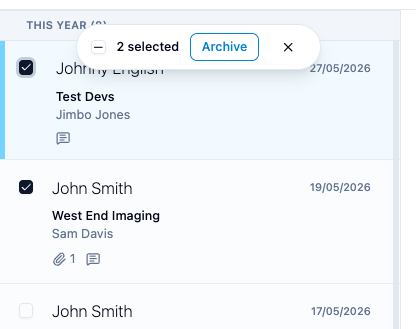
Select several correspondences in your inbox and archive them in one go. Hover over an item and tick the checkbox that appears (on touch screens they’re always shown). A bar shows how many you’ve selected, with an Archive button, and its own checkbox selects every item on the page. In your archive, the same bar has Unarchive.
Message templates
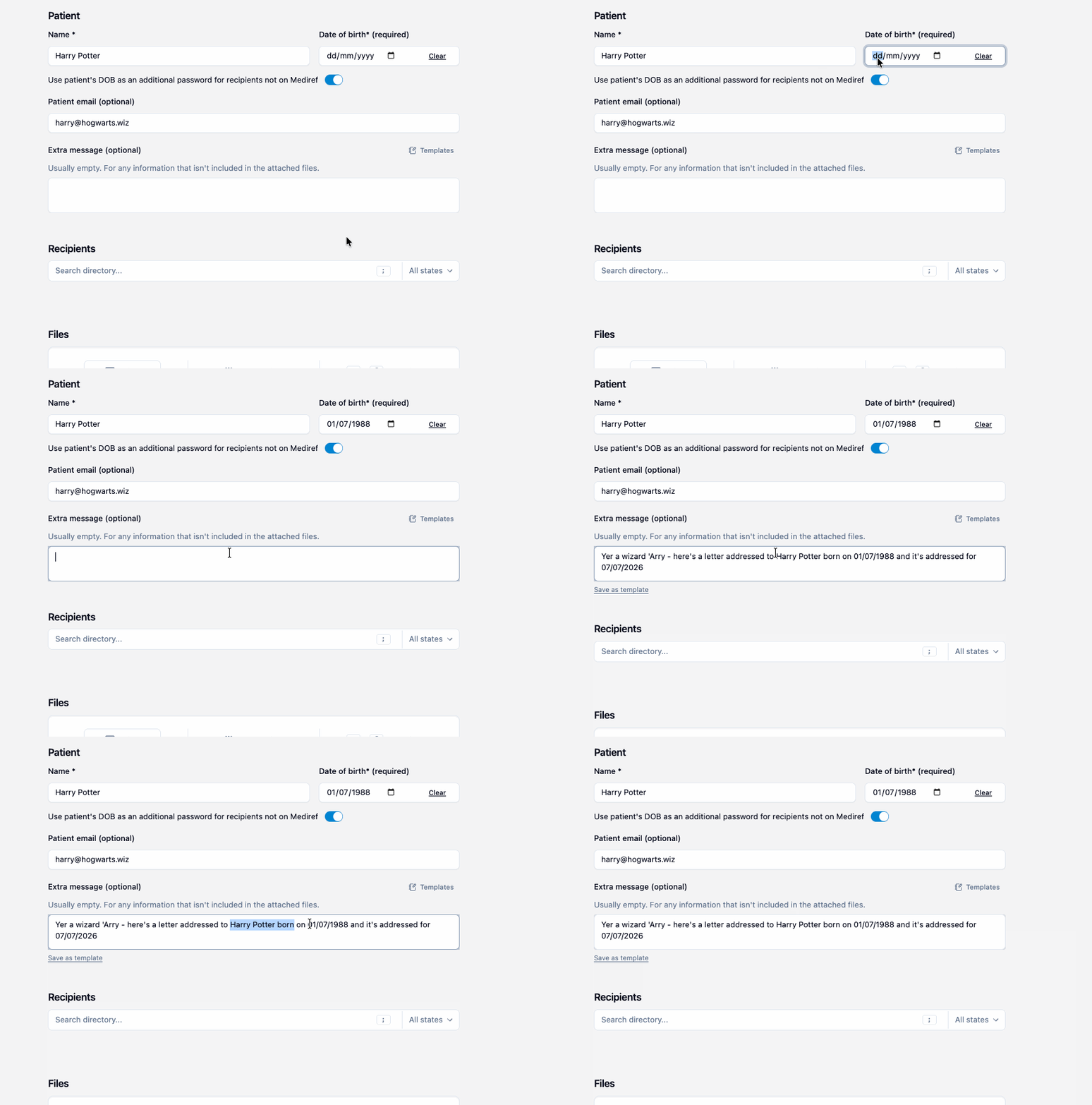
If you often type the same extra message, save it as a template and add it with one click. Once you’ve typed a longer message, Save as template appears under the box. You can also create and edit templates under Settings > Correspondence.
While sending, click Templates above the extra message box, or type / in an empty box to search them. Templates can include placeholders for the patient’s name and date of birth, today’s date, and your practice’s name, phone and address, filled in when you send. Star a template to make it the default message on every new correspondence.
Search as you type
The search bar at the top of every page now shows matching correspondence as you type, with the patient, the other practice and the date. Narrow it to Received or Sent, click a result to open it, or press Enter for the full search page. Press / from anywhere to jump to the search bar.
Print or save as PDF
Print on a correspondence produces a letter-style page with the sender, recipients, patient, message and a list of attached files. Choose “Save as PDF” in your browser’s print window to keep a copy. It works on secure-link pages too, for patients and practices not on Mediref. Attached files are listed by name, so download them separately.
Adjust the text size
If text is too small or too large, change Font size under Display in Settings > Your account, or use Increase font size and Decrease font size from Ctrl+K. It applies to the device you change it on, so each workstation can have its own size.
Smaller improvements
- All time on the search page now searches all your correspondence, not just the past two years.
- Search leaves out weak matches, so the right correspondence is nearer the top.
- Tags show on received correspondence in search results, and tags you add there are saved.
- An item you open from the New filter stays in the list until you leave the page.
- Recipient search updates as you type instead of waiting for you to pause.
- Email addresses in extra messages are clickable.
- Practitioner list suggestions can now include name corrections and removals as well as new practitioners.
- After you change plans, Billing shows your new plan straight away.
- Practices billed by invoice can switch to automatic card billing themselves from Billing.