Starts a new correspondence with the patient’s details and every file from an existing one already attached.
- Only the files come across. The original message and any record request list don’t.
- It sends like any other correspondence: to Mediref practices, to email addresses as a secure link, or to the patient.
- The practice that sent it to you isn’t told it’s been forwarded.
Steps
- Open the correspondence in Inbox, Archive or Sent.
- Click Forward at the top right, beside Print.
- On the Compose page, check the patient details, remove any file you don’t want to pass on, add recipients and a message, and click Send.
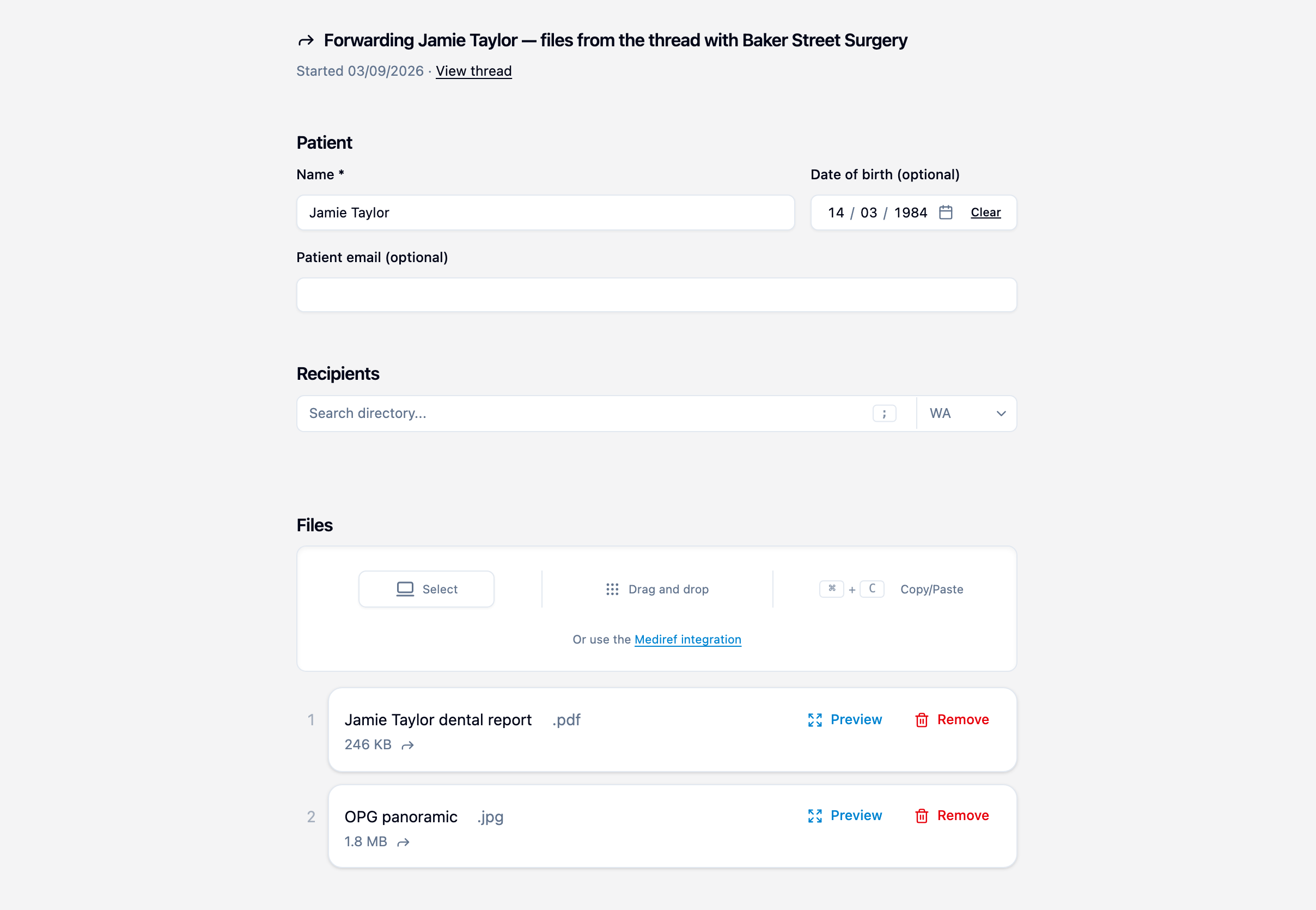
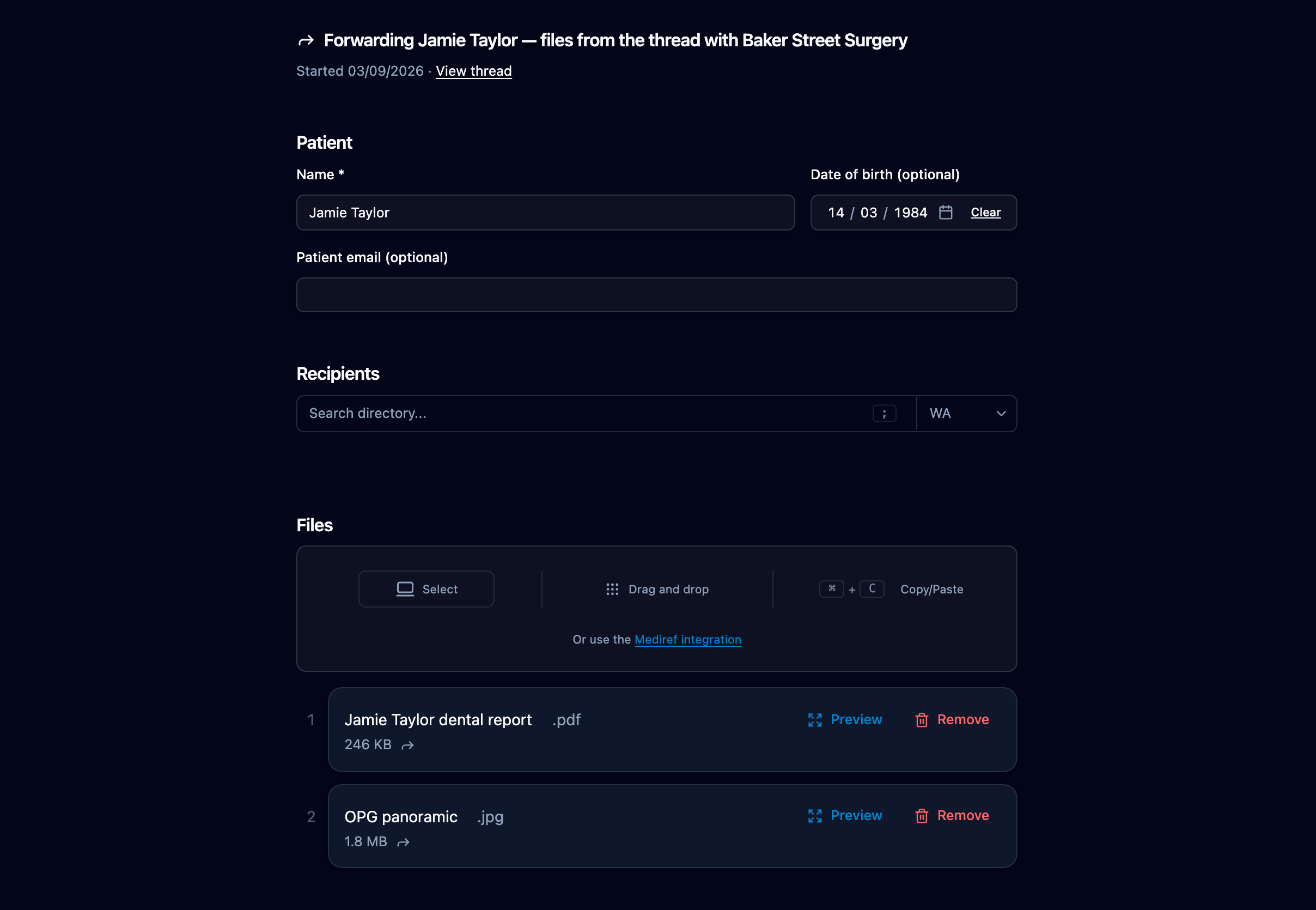
Forwarded files carry a small forward icon in the list. Renaming or removing one changes only your copy, never the original. If the same patient’s correspondence has replies with more files, they’re all included.