Cuts off the wrong person’s access and leaves a record of what happened.
Steps
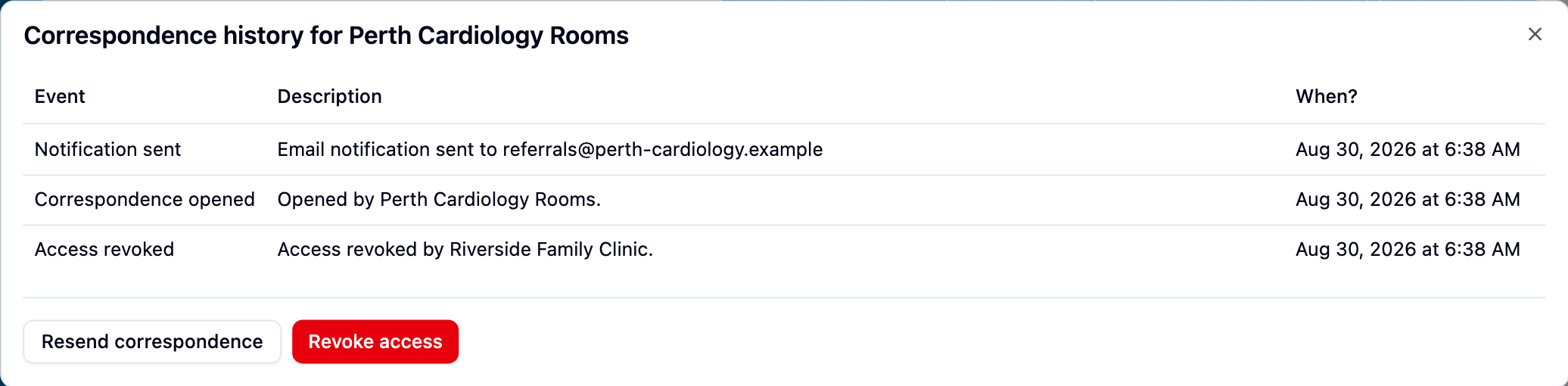
- Open the correspondence from Sent, click Actions beside the wrong recipient and choose Revoke access. Do this first — see Revoke access.
- Click that recipient’s tracking label and check whether the correspondence was opened before you cut off access.
- If the wrong files were attached, scroll to Files and click Delete beside each one. Deletion is immediate, with no “are you sure?” step, and the row then reads Deleted.
- If it was opened, tell whoever looks after privacy at your practice. The correct recipients keep their access, so send the correspondence to the right recipient and carry on.
What to hand over
- The date and time it was sent, and the patient it concerned.
- The recipient’s name and email address.
- What was wrong — wrong recipient, wrong files, or wrong patient details.
- Whether the delivery log shows it was opened, and when.
- When you revoked access, and whether you deleted any files.